macOS 27 Slow? Fix Mission Control and Spaces Lag
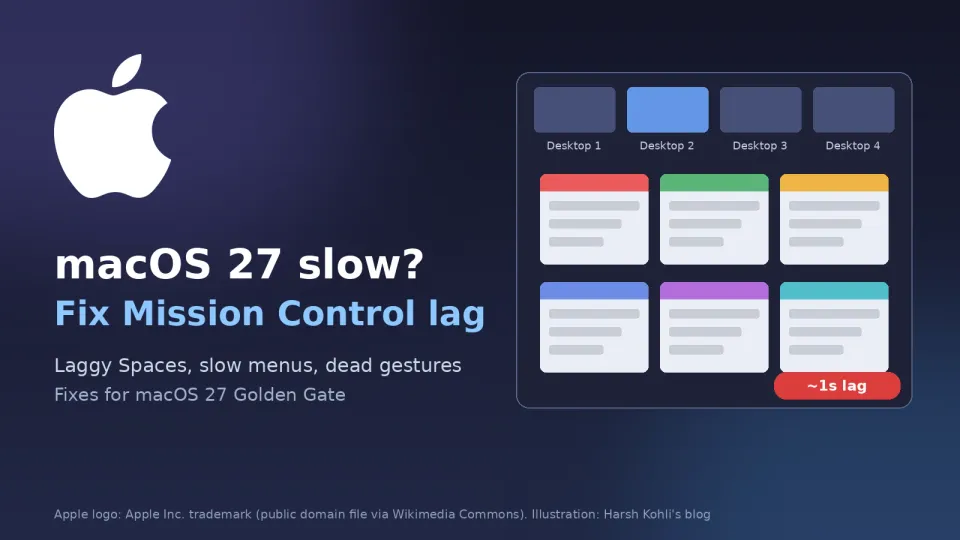
Mission Control and Spaces lagging on macOS 27? Check if it's macOS or a mouse app, update, restart the Dock, trim desktops and cut the motion effects.
Updated: 14 November 2026. Checked against Apple's macOS 27 update notes, Apple's guides to Mission Control and safe mode, the Mac Mouse Fix release notes, and owner reports in the MacRumors "Mission Control totally broken on macOS 27" thread.
Short answer: if Mission Control and Spaces feel slow on macOS 27, first work out whether it's macOS or one of your apps. Press Control-Up Arrow or swipe up with three fingers. If Apple's own controls work fine but your mouse button or custom shortcut doesn't, a gesture utility is the culprit and an update fixes it. If Apple's controls lag too, update to macOS 27.2.1, restart the Dock, cut down how many desktops you keep open, and turn on Reduce motion. That combination clears it up for most people, though not everyone.
I'll be straight about where this comes from. I haven't timed Mission Control on a lab full of Macs, and Apple hasn't published a known-issue note about it. What I've done is read through two months of owner reports, Apple's own docs and the bug tracker of the most popular mouse utility, and pulled out the fixes that keep coming up. Where a fix only worked for some people, I say so.
Jump to:
- What people are seeing on macOS 27
- Step 1: Update to macOS 27.2.1 and restart
- Step 2: Test with Apple's own controls
- Step 3: Update gesture and window utilities
- Step 4: Restart the Dock
- Step 5: Trim desktops and change Mission Control settings
- Step 6: Turn on Reduce motion and Reduce transparency
- Step 7: Check Activity Monitor for WindowServer and indexing
- Step 8: Test in safe mode or a new user
- FAQ
What people are seeing on macOS 27
The complaints started on day one. In the MacRumors thread opened on 16 September 2026, the first post describes dragging a window to a new Space at roughly 25 frames per second, animations that run too slow and then too fast, and minimised windows that don't show up. Others piled in with missing desktop thumbnails along the top of Mission Control, a blank desktop when swiping from a full-screen app, and a one to two second delay on every menu bar click. A few people with the same Mac said they saw none of it, which is part of why this has been so hard to pin down.
It hasn't cleanly gone away with updates either. One owner came back to the same thread this week to say Mission Control is "very snappy" on macOS 27.2.1. The person who started the thread, now on the 27.3 beta, replied that it's fine at first and then gets sluggish again. A separate thread from 31 October says that on 27.2, once you have three to five or more desktops open, menus slow to a crawl. Apple's note for 27.2.1 only says "bug fixes and security updates", so there's no official word on whether this was touched.
There's also a second, unrelated problem that looks the same from the outside. Mouse and gesture utilities that fake trackpad swipes stopped working on macOS 27, so a mouse button that used to open Mission Control suddenly does nothing or stutters. Here's how to match your symptom to a fix:
| What you see | Likely cause | Go to |
|---|---|---|
| Mouse button or custom gesture for Mission Control does nothing | Gesture utility not updated for macOS 27 | Steps 2 and 3 |
| Control-Up Arrow and three-finger swipe are slow too | The macOS 27 Spaces bug | Steps 1, 4, 5 and 6 |
| Menus lag when you have lots of desktops | Reported on 27.2 with 3-5+ Spaces | Step 5 |
| Missing desktop thumbnails in Mission Control | Stuck Dock process | Steps 1 and 4 |
| Whole Mac is slow in the first day or two after updating | Spotlight and Photos re-indexing | Step 7 |
| Still slow after everything above | A login item, or a corrupted user setting | Step 8 |
Step 1: Update to macOS 27.2.1 and restart
Open System Settings > General > Software Update and install whatever's waiting. As of 14 November 2026 the current public release is macOS 27.2.1, according to Apple's update notes page. It isn't a guaranteed fix, but at least one owner who'd been fighting this since September says 27.2 is what made Mission Control smooth again for them, and there's no point troubleshooting an older build.
Then do a proper restart, not just closing the lid. In the same MacRumors thread, an M1 Ultra owner's missing desktop thumbnails came back after a restart. It's a cheap test, so do it before anything else.
I'd skip the 27.3 beta if you're only installing it to fix this. The one report I could find from someone on it says the lag creeps back after a while.
Step 2: Test with Apple's own controls
This takes ten seconds and tells you which half of the post you need. Apple lists the built-in ways into Mission Control: press Control-Up Arrow, press the Mission Control key, swipe up with three fingers on a trackpad, or double-tap with two fingers on a Magic Mouse.
- If those work smoothly but your mouse's side button or your custom shortcut doesn't, the problem is the app behind that button. Go to Step 3.
- If Apple's own controls are slow or jumpy too, you're looking at the macOS bug. Skip to Step 4.
If a keyboard shortcut is missing altogether, check System Settings > Keyboard > Keyboard Shortcuts > Mission Control. The "Switch to Desktop" shortcuts are off by default, and one desktop's row only shows up after that desktop exists.
Step 3: Update gesture and window utilities
Lots of mouse tools open Mission Control by pretending to be a three-finger trackpad swipe. On the Mac Mouse Fix bug tracker, users traced the macOS 27 breakage to exactly that: the app wrote undocumented fields onto input events to fake a gesture, and macOS 27 stopped reading them. Clicking and scrolling kept working, so it looked like only Mission Control had broken.
If you use Mac Mouse Fix, the developer has shipped fixes. Version 3.1.0, released 15 September 2026, says gestures like "Spaces & Mission Control" work again on macOS 27 Golden Gate. Version 2.2.6, the free branch, followed on 3 October with the same fix. Update from inside the app or from the project's GitHub releases page. I'd steer clear of the unofficial patched builds people posted in the issue threads now that official versions are out. They're ad-hoc signed and you'd have to bypass Gatekeeper to run them.
The same idea applies to any app that hooks into gestures or windows: mouse drivers, gesture tools, window tilers and menu bar utilities. Check each for a macOS 27 update. If one hasn't been updated, quit it from the menu bar and see whether Mission Control speeds up. You can also stop it launching at login under System Settings > General > Login Items & Extensions.
Step 4: Restart the Dock
Mission Control and Spaces run inside the Dock process, so restarting it reloads them without closing your windows. Open Terminal from Applications > Utilities and run:
killall DockThe Dock vanishes and comes back within a couple of seconds. If you'd rather not touch Terminal, open Activity Monitor, search for Dock, select it and click the stop button (the X in a circle) at the top, then choose Quit. macOS relaunches it straight away.
This is a band-aid. If the lag comes back after a few hours, which matches what the 27.3 beta tester described, keep going. But it's a handy reset to remember when Mission Control acts up mid-day.
Step 5: Trim desktops and change Mission Control settings
The 27.2 report ties the menu lag to having three to five or more desktops open. So the blunt fix is fewer Spaces. Open Mission Control, hover over a desktop thumbnail in the Spaces bar and click the X to close any you don't really use. Their windows move to another desktop, nothing gets closed.
Then open System Settings > Desktop & Dock and scroll down to Mission Control. Try these one at a time:
- Automatically rearrange Spaces based on most recent use: turn it off. With it on, macOS reshuffles your desktops, which makes shortcuts land in random places and adds more work every time you switch.
- Group windows by application: try flipping it. It changes how Mission Control lays windows out, and it costs nothing to test.
- Displays have separate Spaces: only matters if you use more than one screen. A couple of people in the MacRumors thread had full-screen apps bouncing back to the desktop on multi-monitor setups. Toggling this needs a log out and back in before it takes effect.
Step 6: Turn on Reduce motion and Reduce transparency
macOS 27 leans hard on Liquid Glass, and every blurred, see-through surface is extra drawing work each time Mission Control animates. Apple describes Reduce motion as cutting back on interface motion, "like the fluid morphing effects of Liquid Glass".
- Reduce motion: System Settings > Accessibility > Motion.
- Reduce transparency: System Settings > Accessibility > Display.
Apple doesn't publish a performance figure for either, so turn on one, use Mission Control for a while, then try the other. Reduce motion swaps the zoom and slide effects for quick fades, which I actually prefer. If the stutter is gone but you miss the animation, that's your trade-off until Apple fixes it properly.
Step 7: Check Activity Monitor for WindowServer and indexing
Open Activity Monitor, click the CPU tab and sort by % CPU. Two things to look for:
- WindowServer stuck high when you're not doing much. It's the process that draws everything on screen. Extra displays, high scaled resolutions, lots of open windows and animated wallpapers all add to its load. Unplug an external monitor or close a pile of windows and see whether it drops.
- mds_stores, mdworker_shared, photoanalysisd near the top. That's Spotlight and Photos rebuilding after the update. Leave the Mac plugged in and awake for a few hours and it settles on its own.
To see whether Spotlight is still indexing, run this in Terminal:
mdutil -s /If it's been days and search is clearly broken, you can rebuild the index with sudo mdutil -E /. Only do that if you need to, since it starts indexing from scratch and the Mac will be busy again for a while.
Also glance at the Memory tab's Memory Pressure graph at the bottom. If it's yellow or red, you're short on RAM, and Mission Control will feel slow no matter what. Close some browser tabs before blaming macOS.
Step 8: Test in safe mode or a new user
If you've done everything above and it's still bad, find out whether it's macOS or something you installed. Apple's safe mode steps for a Mac with Apple silicon:
- Shut down the Mac.
- Press and hold the power button until you see "Loading startup options".
- Select your startup disk (usually Macintosh HD).
- Hold Shift and click Continue in Safe Mode.
On an Intel Mac, hold Shift as it starts up until you see the login window. Safe mode skips login items and extensions that macOS doesn't need, and clears some system caches. Apple warns that graphics performance can be different in safe mode, so don't judge the animation speed too strictly. What you're checking is whether the one-second freezes and menu lag disappear.
If it's smooth in safe mode, restart normally. If the lag comes back, remove login items one by one. You can also create a test account under System Settings > Users & Groups and log in to it. If Mission Control is quick there, something in your own account is the cause, not the OS.
If it's just as slow in safe mode and on a fresh account, that's the macOS bug, and the honest answer is that you're waiting on Apple. Send it in through Apple's macOS feedback page so it gets counted. A few people in the forum thread went back to macOS 26 Tahoe, but that means erasing the Mac and restoring from a Time Machine backup made before the upgrade. Without one, I wouldn't bother, and the next 27.x update is a much safer bet.
Related guides: if macOS 27 is also eating your battery overnight, here's my fix for a Mac draining while asleep. Curious whether 27.3 is worth the jump? I covered what's in the macOS 27.3 public beta. And every Apple fix I've written lives in one list at the bottom of my guide to freeing up iPhone storage without deleting photos.
FAQ
Did macOS 27.2.1 fix Mission Control lag?
For some people, yes. One owner on the MacRumors forums says it's been snappy since 27.2, but others still report lag with several desktops open on 27.2, and Apple's 27.2.1 notes don't mention Mission Control at all. Update anyway, then work through the other steps if it's still slow.
Why did my mouse button stop opening Mission Control on macOS 27?
Utilities like Mac Mouse Fix opened Mission Control by faking a trackpad swipe, and macOS 27 stopped accepting the way they did it. Mac Mouse Fix 3.1.0 and 2.2.6 fix it. For other tools, check for an update that mentions macOS 27 support.
Does killall Dock delete anything?
No. It just restarts the process that runs the Dock, Mission Control and Spaces. Your windows, apps and Dock icons stay where they were. It comes back on its own in a second or two.
Will Reduce motion make my Mac faster overall?
It won't speed up apps, but it cuts the animation work behind Mission Control, Spaces and window effects. On a Mac that's struggling with the Liquid Glass look, that can make switching feel a lot less sticky. Turn it off again any time.
Should I downgrade to macOS Tahoe?
Only if Mission Control is wrecking your work and you have a Time Machine backup from before the upgrade. Going back means erasing the Mac and reinstalling. For most people it's easier to trim Spaces, turn on Reduce motion and wait for the next update.


Comments ()