Cursor Breach Traced to Stolen Fireworks AI Key
Cursor says a key leaked in the Fireworks AI breach exposed agent traces and support data. Who's affected, and what to rotate and turn on now.
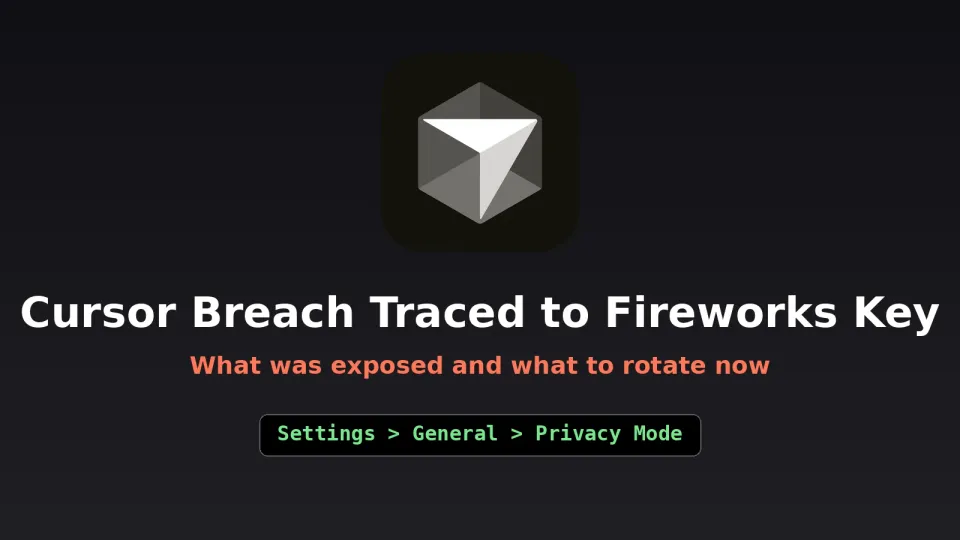
If you use Cursor, the AI code editor, there's a follow-up to last month's poisoned Claude Code extension that's worth five minutes of your Sunday. Cursor has now explained how the attacker got in, and it didn't start at Cursor. It started with an access key Cursor had handed to Fireworks AI, one of its inference vendors, which Fireworks then exposed in its own breach. Most people weren't affected, but if you ever pasted a key or password into a Cursor chat or sent one to its support team, read on.
What happened
In an update posted on November 13, Cursor laid out the chain. Someone got hold of a key Cursor had issued to Fireworks and used it to copy data out of a read-only storage bucket the two companies shared. That bucket held coding agent traces, mostly from 2025, taken from sessions where Privacy Mode was off, which is the setting that lets Cursor use your sessions for training.
Some of those traces still had credentials in them that were never scrubbed. Cursor puts the share of customers whose API credentials leaked this way at under 0.01%, and says agent traces were exposed for fewer than 0.05% of users who weren't in Privacy Mode. The attacker then used those credentials to get into a few of the SaaS tools Cursor runs on. From there they reached old non-production code repos, some customer support emails, usage metrics and contact details, summaries of some agent conversations, and credentials that users had sent to Cursor support.
On October 29 the attacker used one of those stolen credentials to plant fake copies of Anthropic's Claude Code extension, versions 2.1.312 and 2.1.313, straight into the cache behind Cursor's extension marketplace. Cursor says up to 5,000 people may have pulled the bad build during the roughly 11 hours it was live. Anthropic didn't publish it, and Open VSX, where the marketplace gets its extensions, never had the malware. I covered the cleanup steps for that part back then in my guide to checking for the Claude Code extension backdoor.
Fireworks has its own security bulletins on an October incident in which internal credentials were misused. The Hacker News notes that Uber and Notion have also tied data theft to the same Fireworks hack, and BleepingComputer has a full write-up of Cursor's response.
What Cursor says wasn't touched
Cursor lists a fair amount that stayed safe: prompts and code from Privacy Mode users, anything you're sending to it right now, its production systems, customer code repos, every other marketplace extension, and the Cursor app and its updates, which ship from a separate system with signing keys that weren't exposed. It says the last attacker activity was on November 1 and was blocked, and that it has moved all inference off Fireworks and rotated every internal credential, not only the ones it knew were exposed.
What to do
- Check your email. Cursor says it contacted every affected customer directly, and team admins got a list of the exact keys to rotate. If you got one of those emails, do what it says first. Cursor says that if you weren't notified, your data wasn't in the exposed traces.
- Turn on Privacy Mode. Open Cursor Settings with Ctrl+Shift+J (Cmd+Shift+J on a Mac), go to General and switch Privacy Mode on, as Cursor's privacy help page describes. Team admins can enforce it for everyone from the Cursor dashboard.
- Rotate anything you pasted into a chat. Think back. If you ever dropped an API key, database URL or token into an agent session, or emailed one to Cursor support, revoke it and make a new one. It costs little and closes the gap even if you weren't on the list.
- Re-check the extension if you use Claude Code in Cursor. If you installed or updated it on October 29, follow Cursor's original security notice. Cursor warns that uninstalling the extension alone may not be enough.
- Questions? Cursor points people to security@cursor.com.
My take
The part that bothers me isn't the fake extension. It's the training data. A lot of people switched off Privacy Mode without thinking about it, or never knew it was off, and then pasted real secrets into chats while debugging. Those chats ended up in a bucket shared with another company, and that company's breach became Cursor's breach. You can have perfect habits on your own machine and still lose a key because a vendor's vendor slipped.
Who should act? If you're on a Cursor team or enterprise plan, Privacy Mode is on by default, so your risk is mainly around support emails and that one extension. Solo users on free or paid personal plans should check the toggle, because Cursor's own docs call it a user choice there. And anyone who treats an AI chat like a scratchpad for passwords should stop. Keep secrets in a .env file that the agent is told to ignore, or in a secrets manager, and pass placeholders instead.
This also isn't a one-off. I wrote about the Northflank breach and how Claude Code's "don't ask again" file can leak secrets, and the pattern is the same each time: AI dev tools collect credentials in places nobody audits. My rule now is simple. Any key that has been near an AI tool gets a short expiry and gets rotated on a schedule.
If you want to go further, my PC malware check guide walks through looking for leftovers on your machine, and the Railway breach guide covers rotating API keys without breaking your apps.
Sources: Cursor security incident update (November 13, 2026) and October 29 security notice, Cursor help page on Privacy Mode, Fireworks AI security bulletins, The Hacker News, BleepingComputer.
Comments ()